|

You can easily organize your images collection into a hierarchy of sites and galleries each one with different, unique look and feel!
1. Start organizing your images by creating a new site. Click "New site" from the ReaGallery menu.
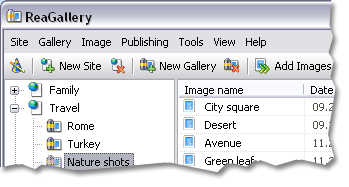
2. Next step in organizing your images collection is to create a gallery within a site. To do so, click "New gallery" from the menu.
Choose the look and feel of your new gallery from the list of built-in templates.
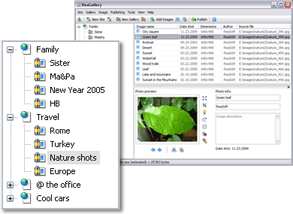
3. Finally, to add images into your gallery you can drag-and-drop images from Windows Explorer into ReaGallery, or you can click "Add Images" button.
 Continue Tour » Continue Tour »
|
|

"I use Pro version of ReaGallery to make my photo album pages. It makes processing pages full of images easy. It generates thumbnails and all the HTML code. A little editing of the template to put my own links in and what used to be hours making HTML pages becomes a ten minute job!"
David Cordy, Wingar Art, USA
"Incredible tool! This is an absolutely excellent piece of software, no PC should be without it, ReaGallery has all what you need.
Michael Lawley, UK
"ReaGallery is GREAT! It's intuitive, user-friendly and really works. Don't miss it!
Scott Wouters, Netherlands
| |
|